Prerequisites
Before installing PayBito Pay, make sure both of the following are in place:
WooCommerce
Installed and activated on your WordPress site. Download from WordPress.org →
PayBito Merchant Account
Sign up at portal.paybito.com if you don't have one yet.
Step by Step
Download & Install the Plugin
Download the latest version of PayBito Pay for WooCommerce from the PayBito website, then follow these steps:
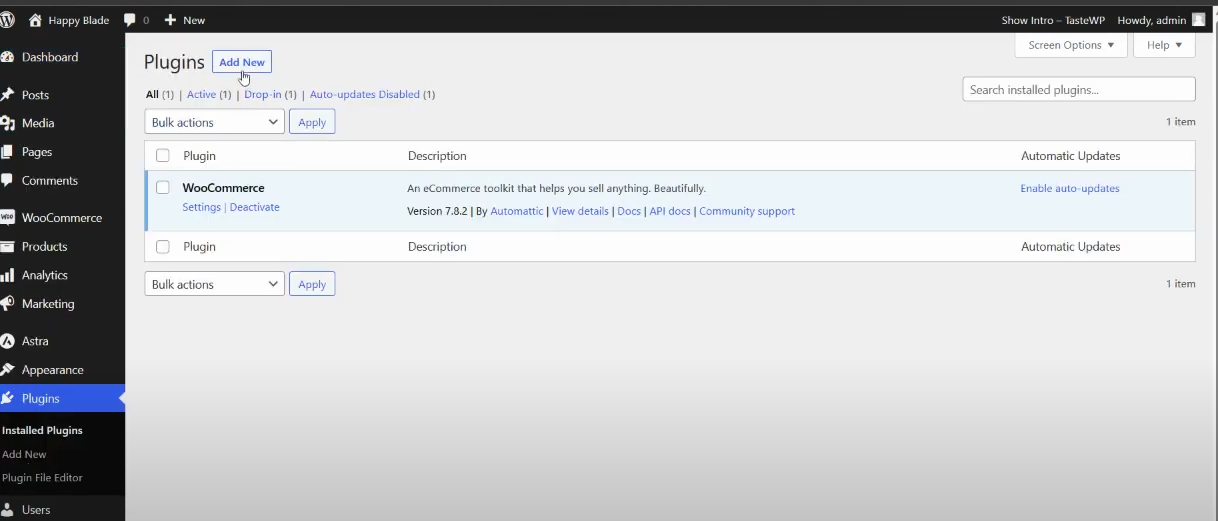
After downloading the plugin.
Go to your website: Dashboard > Plugins > Add New
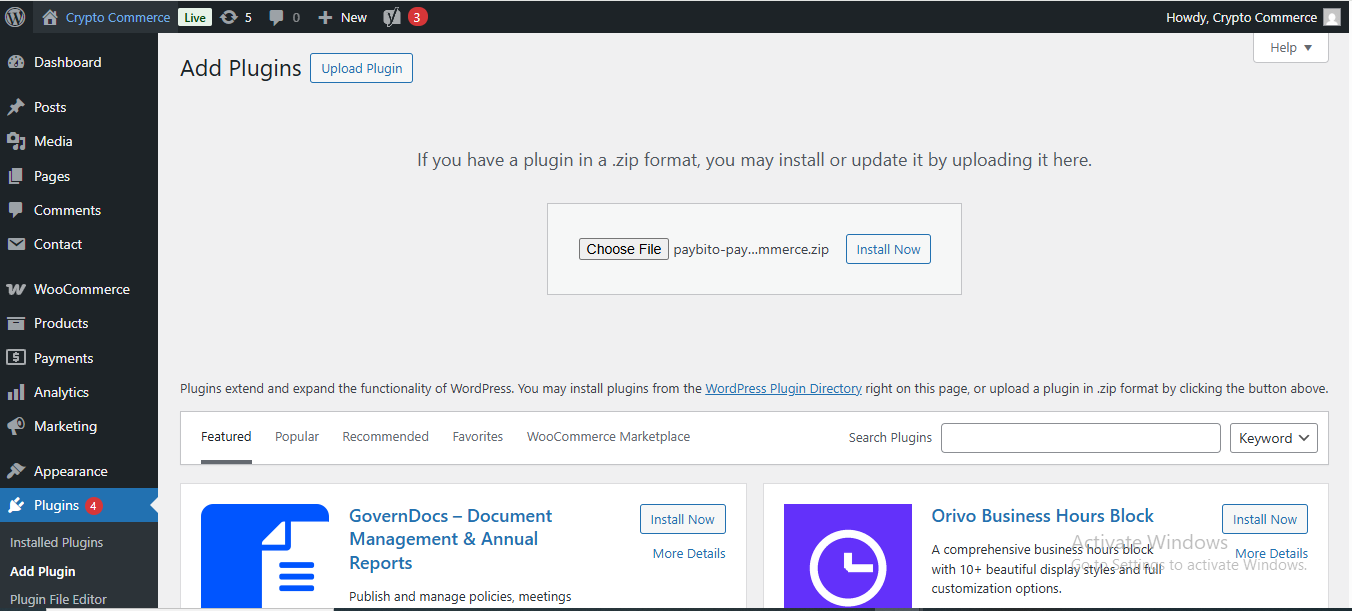
Click on “upload“, then upload the downloaded plugin. Afterward, install it by clicking on “Install Now”.
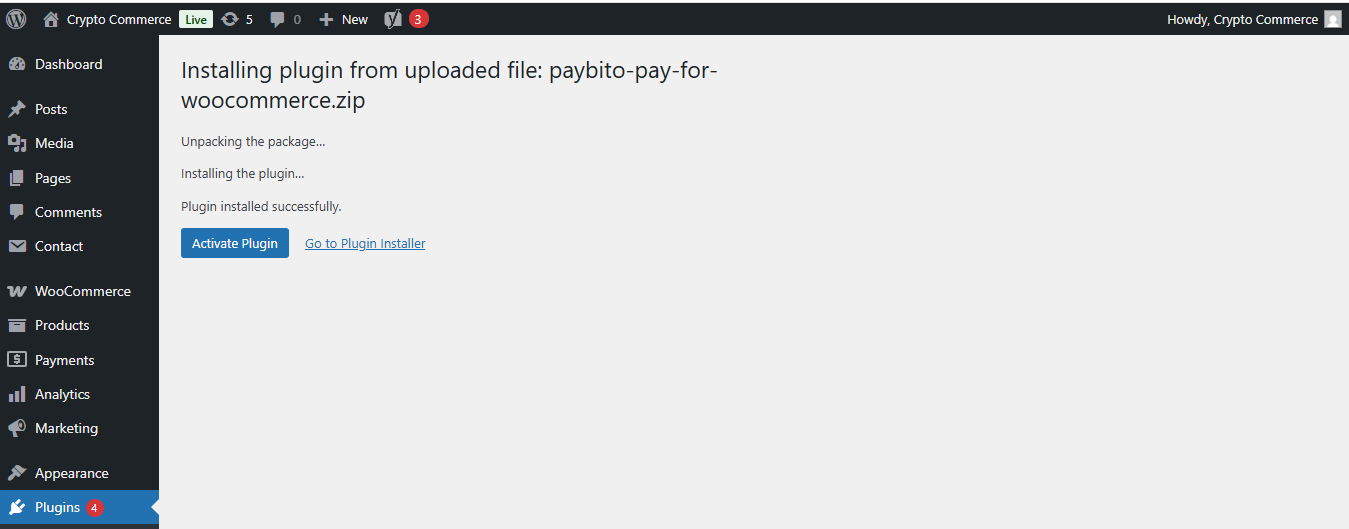
To activate the plugin, click on “Activate Plugin.”
Setup
After activating the plugin, you need to configure it to connect with your PayBito Merchant Account. Follow these steps to complete the setup:
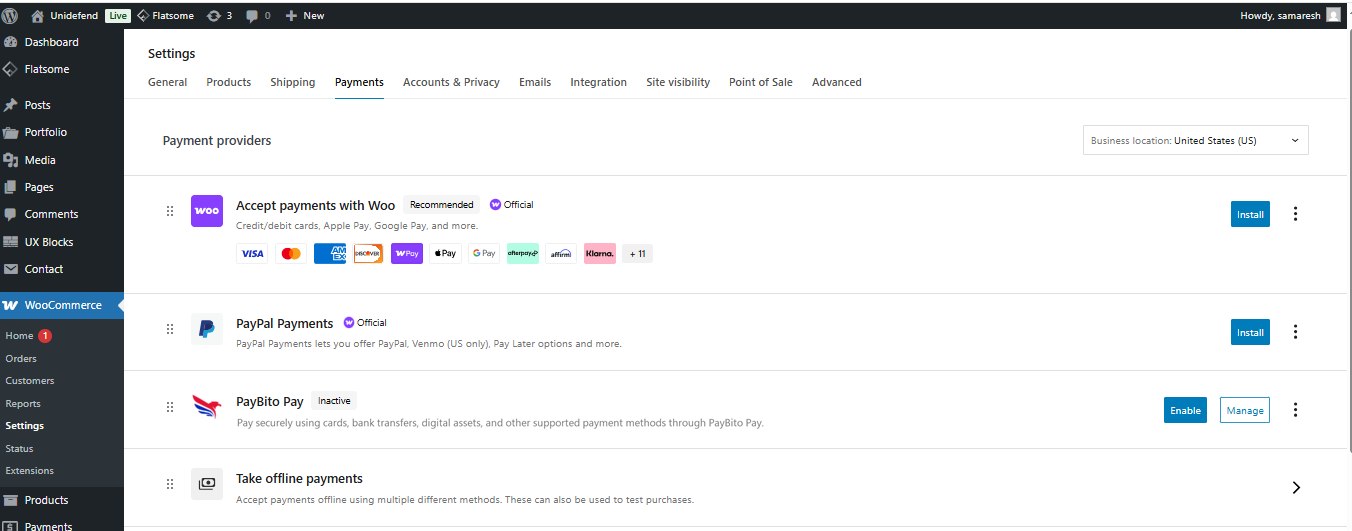
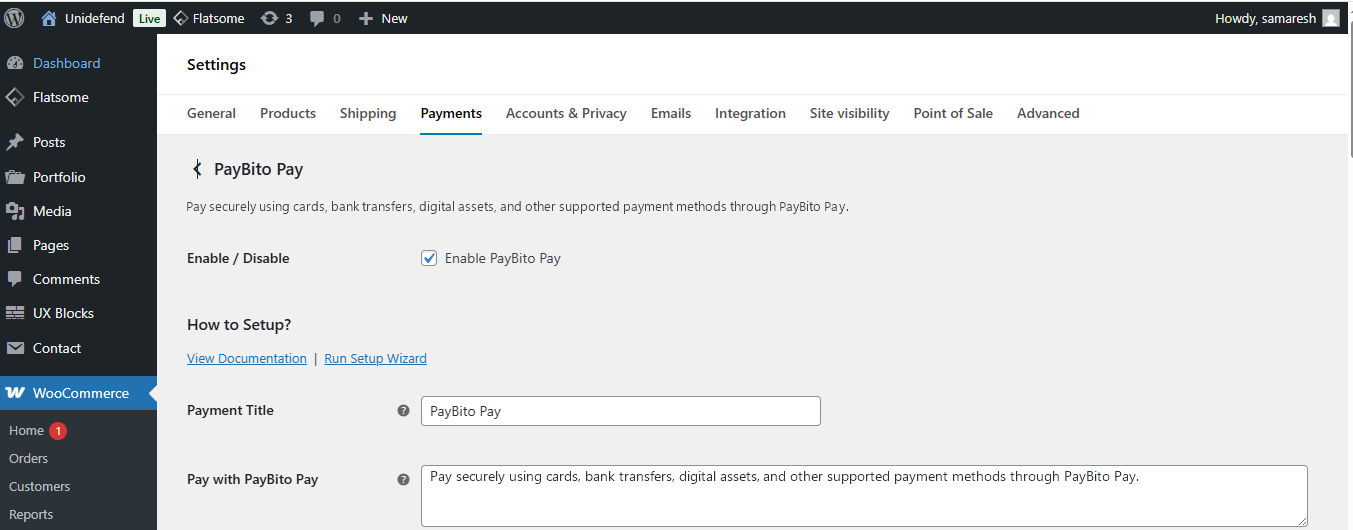
Step 1: Activate the PayBito Pay Gateway
Navigate to WooCommerce > Settings > Payments
Enable PayBito Pay.
Step 2: Find Your Server IP Address (Recommended)
When you create an API key in your PayBito Merchant Account, you are asked to whitelist the IP address of the server your store runs on. Many merchants are unsure where to find this. The free Server IP Dashboard plugin displays it directly inside your WordPress dashboard.
Open the plugin installer
In WP Admin, navigate to Plugins → Add New Plugin.
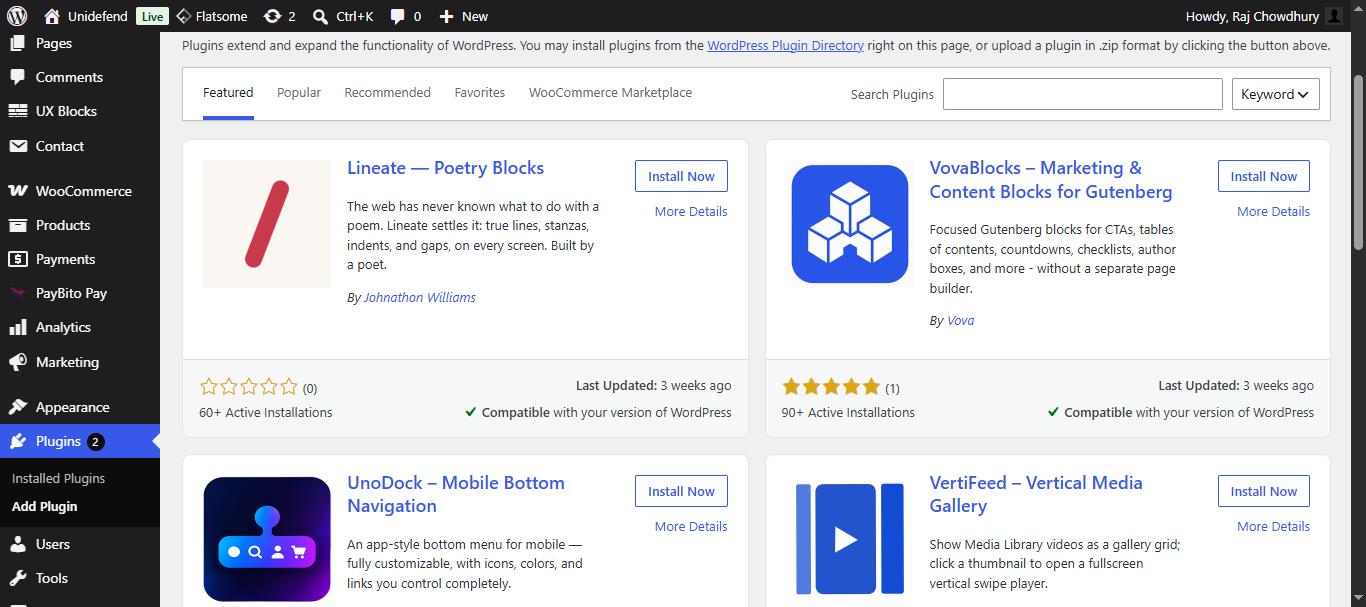
Search for the plugin
Search for Server IP Dashboard. If it does not appear in the keyword results, you can install it directly from wordpress.org/plugins/server-ip-dashboard.
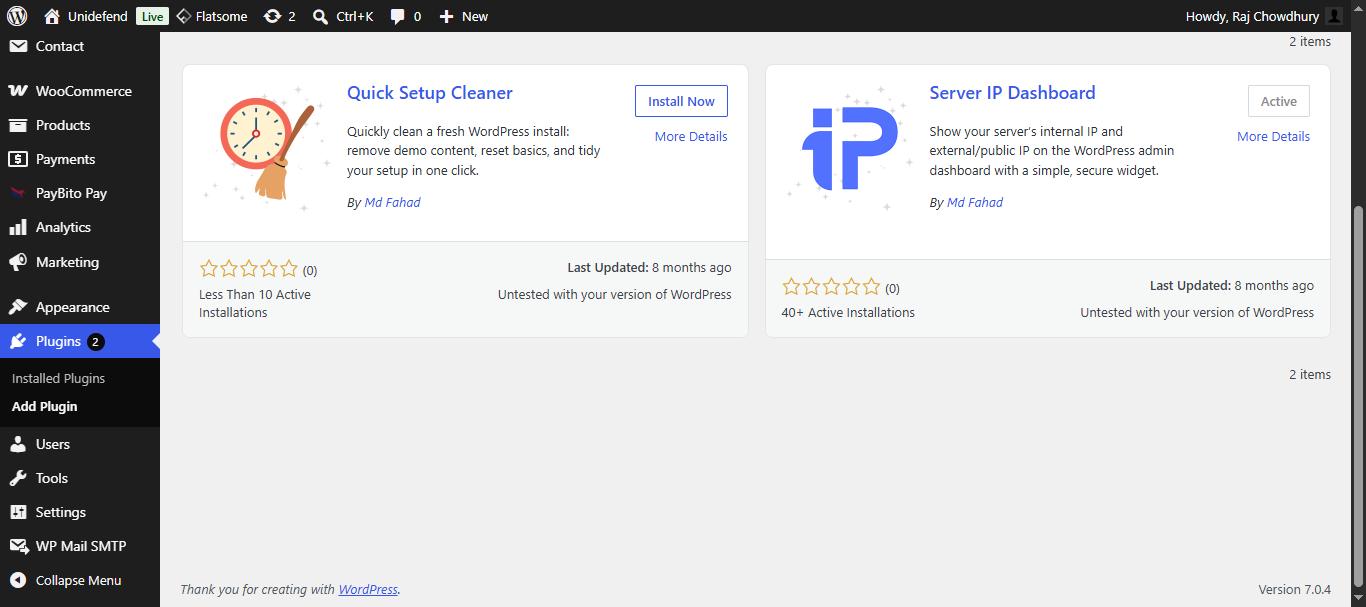
Install and activate
Click Install Now, then Activate.
Open your dashboard
Go to Dashboard → Home.
Read the Server IP Information widget
Locate the Server IP Information widget, which displays your Server Internal IP and your External/Public IP.
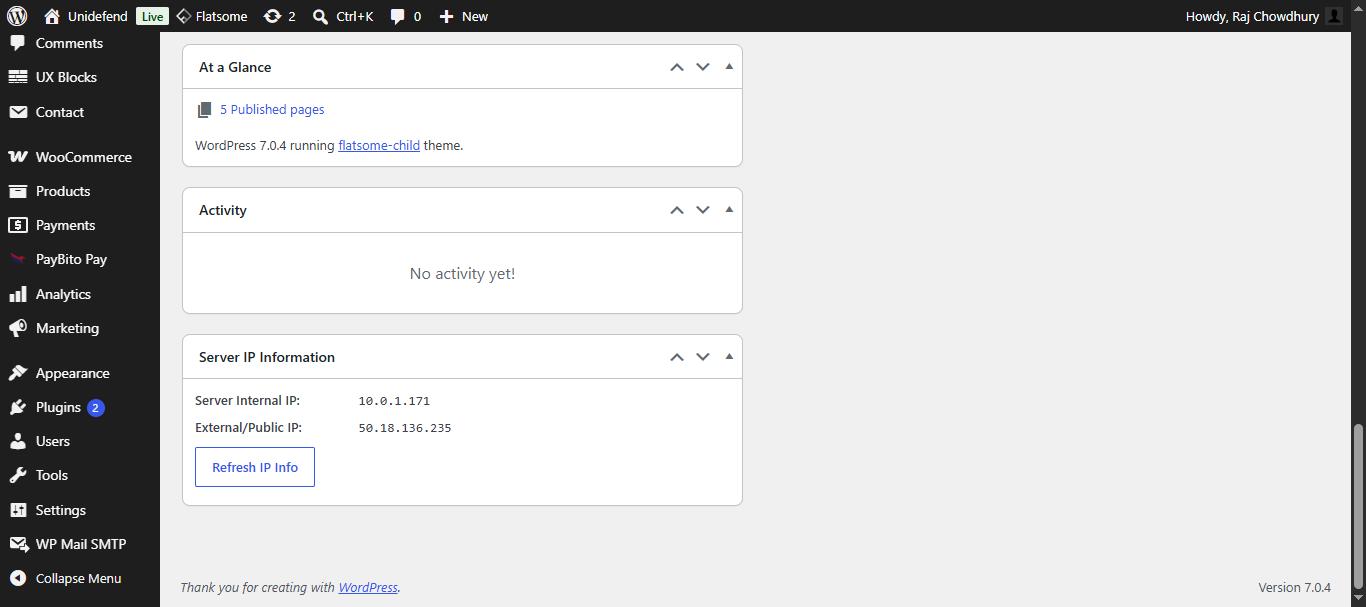
Use the External/Public IP when whitelisting during API key creation — the internal IP is private to your hosting network and will not work. The values are examples only, such as Server Internal IP: 10.x.x.x and External/Public IP: 203.0.113.x; your own values will differ depending on your host.
Step 3: Obtain API Keys from PayBito Merchant Account
Log in to your PayBito Merchant Account and navigate to the API Keys section to obtain your API credentials.
1. Sign in to your PayBito Merchant Account
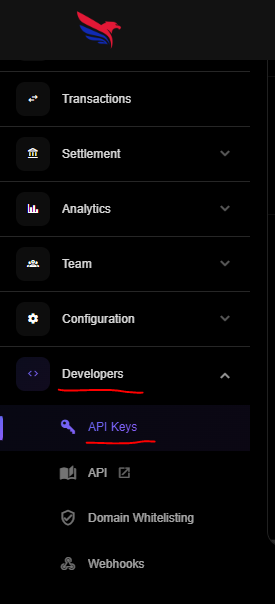
2. Navigate to Developers > API Keys
https://trade.paybito.com/payments/api-key
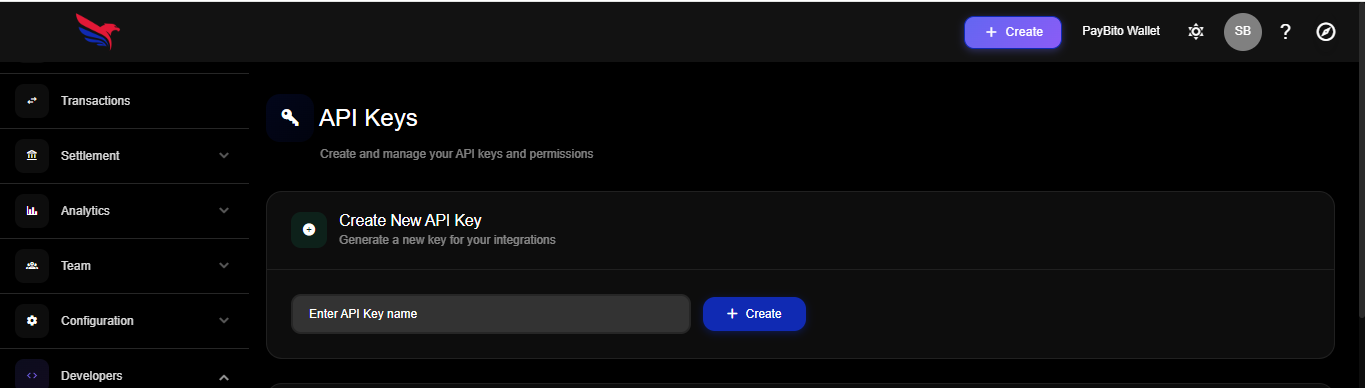
3. Click on New API Key.
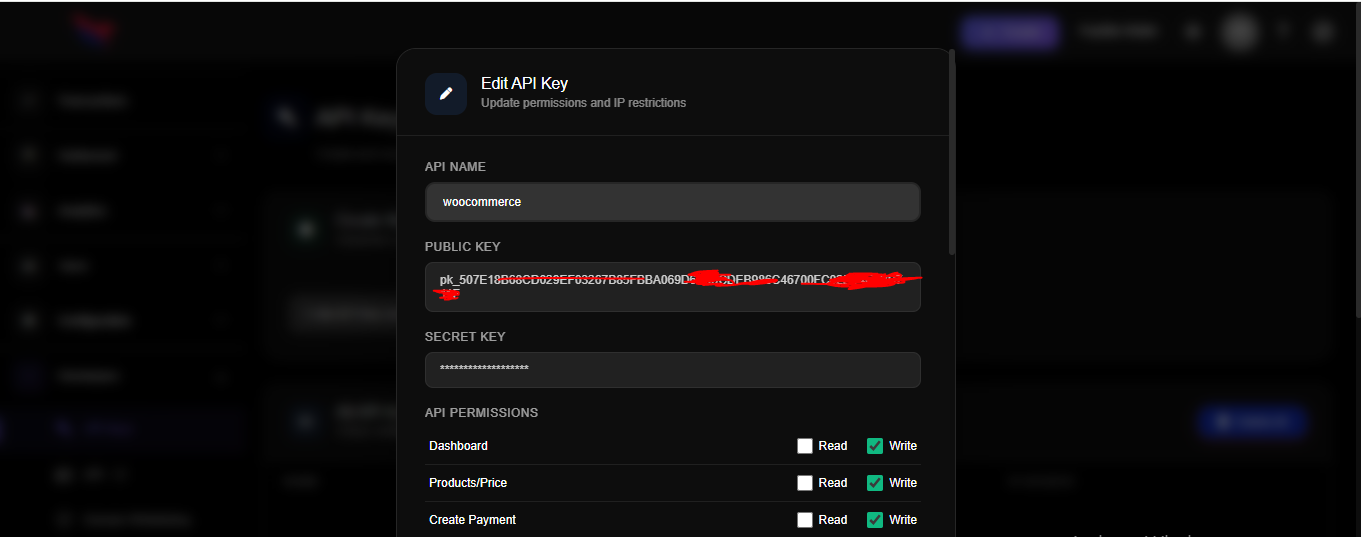
4. Copy API KEY
5. Navigate to User > Profile
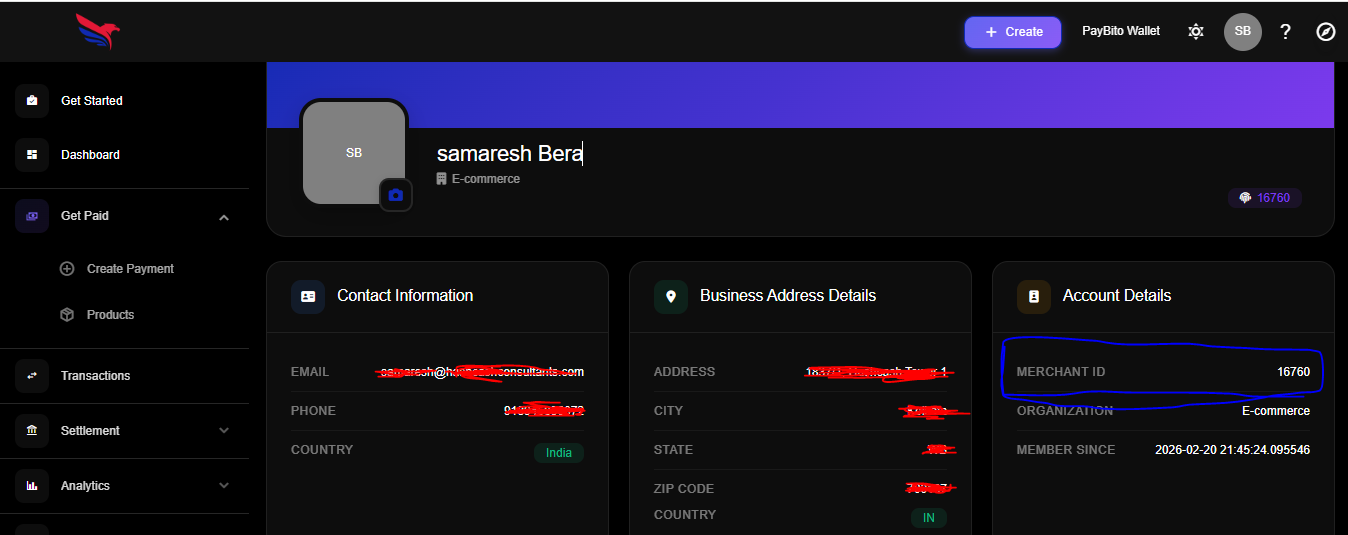
6. Paste API KEY API Secret Key and Merchant ID
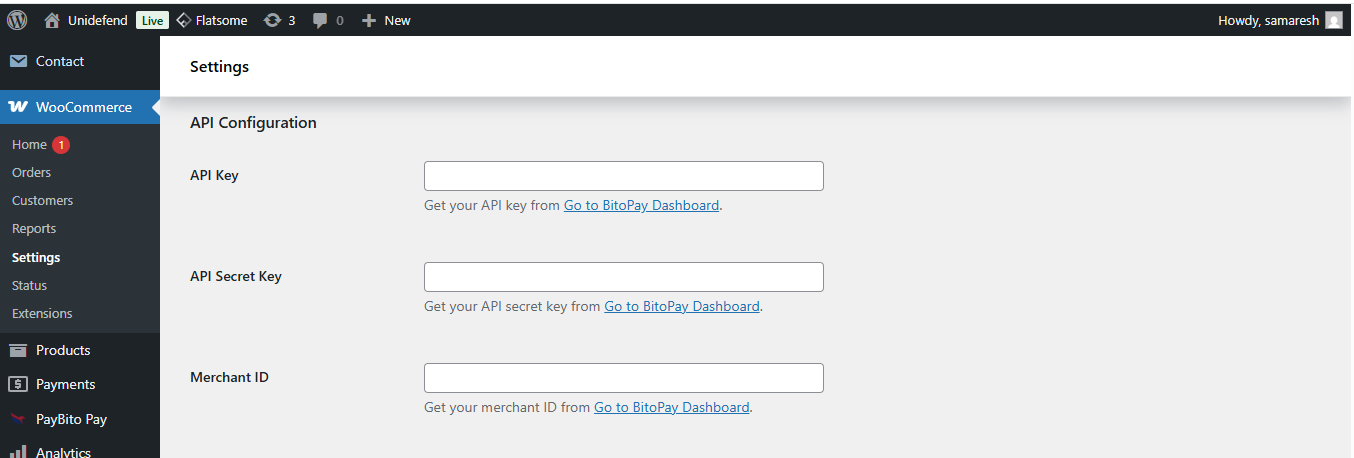
7. Copy URL from Webhook shared secret.
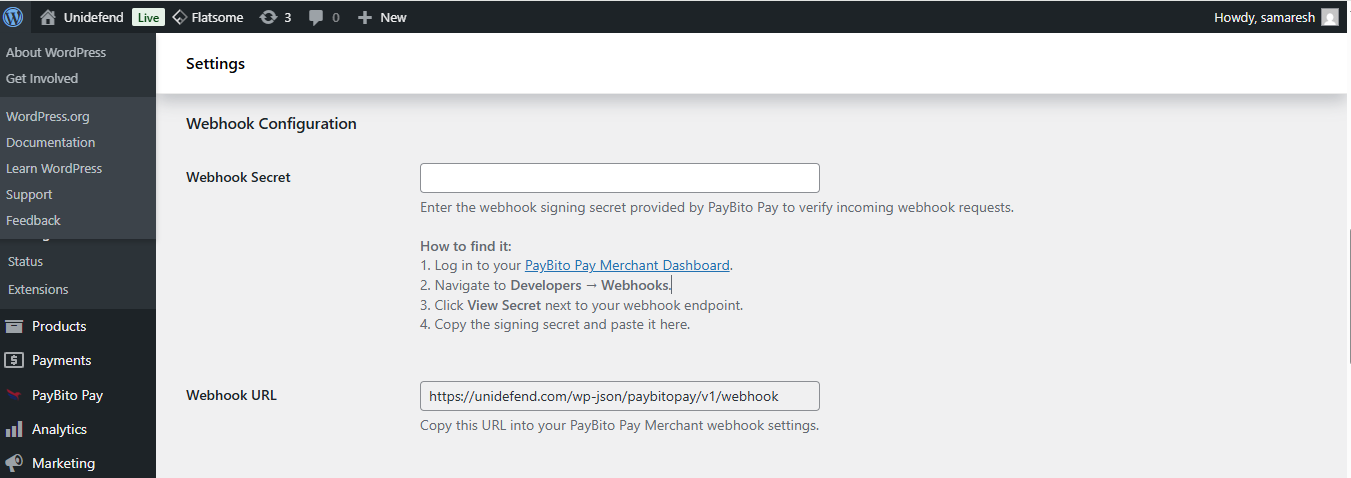
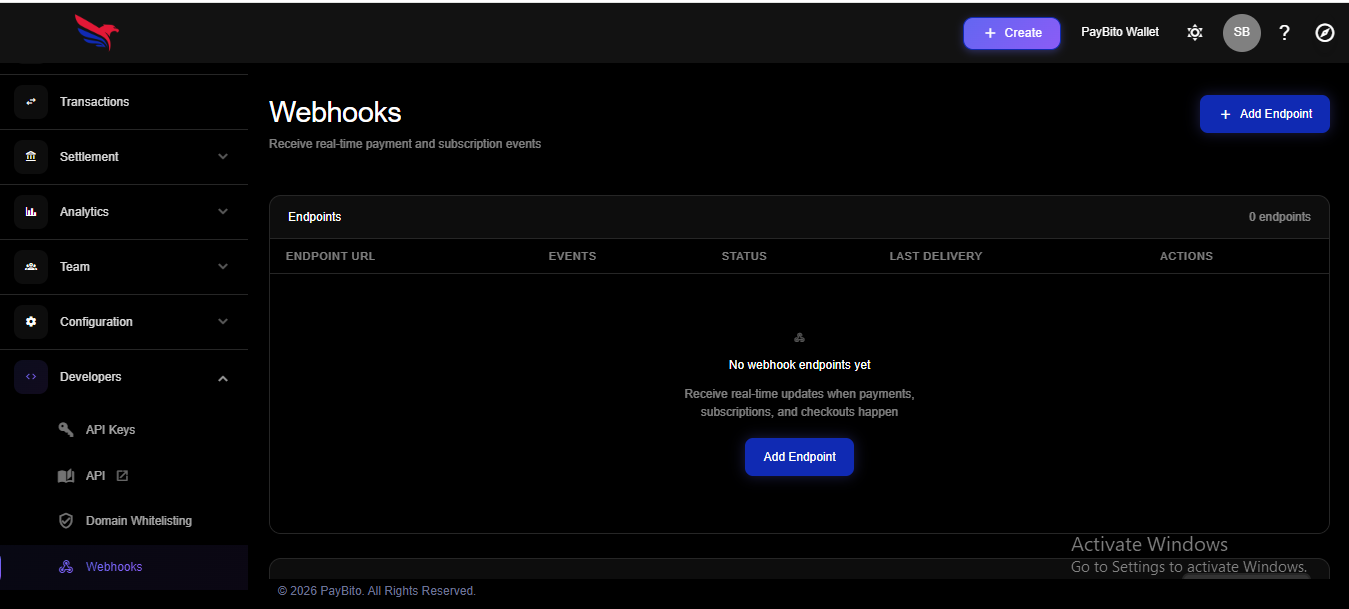
8. Go to PayBito pay Merchant > Developers > Webhooks
https://trade.paybito.com/payments/webhooks
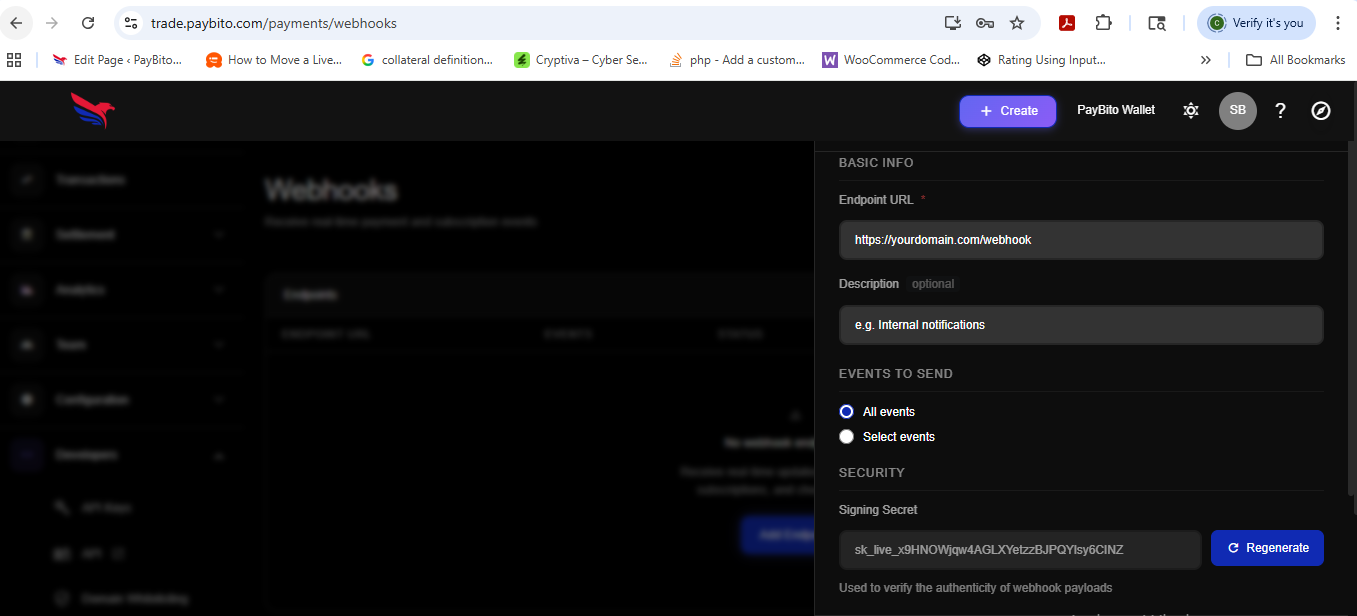
9. Click Add an endpoint and Paste URL.
10. Now Click show shared secret.
11. Copy Webhook shared secret
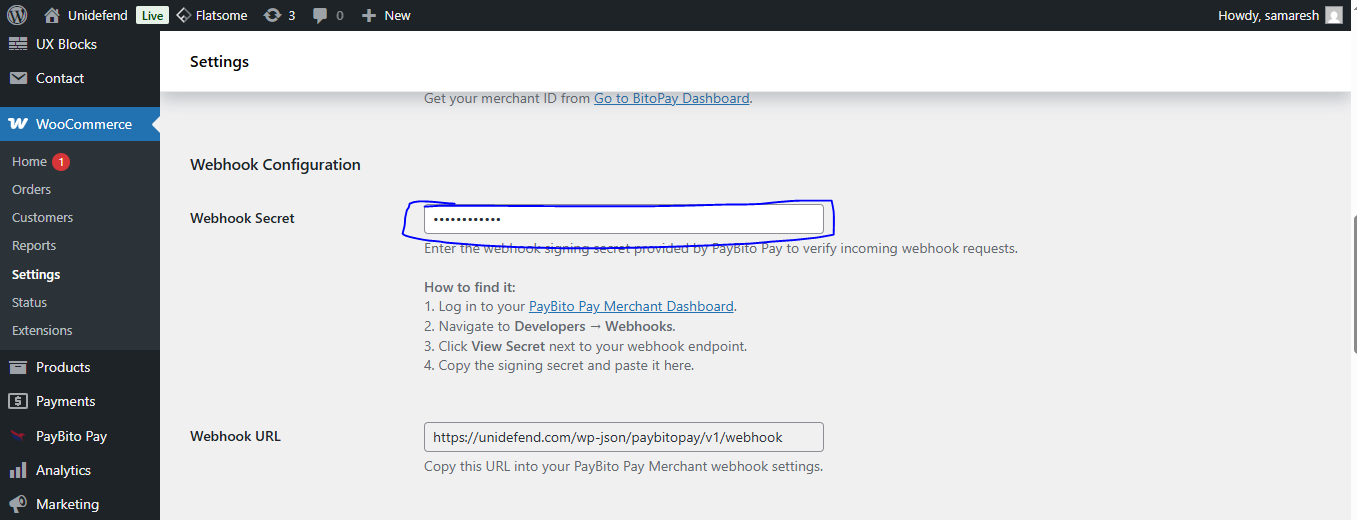
12. Paste Webhook shared secret on your website.
13. Click save changes.
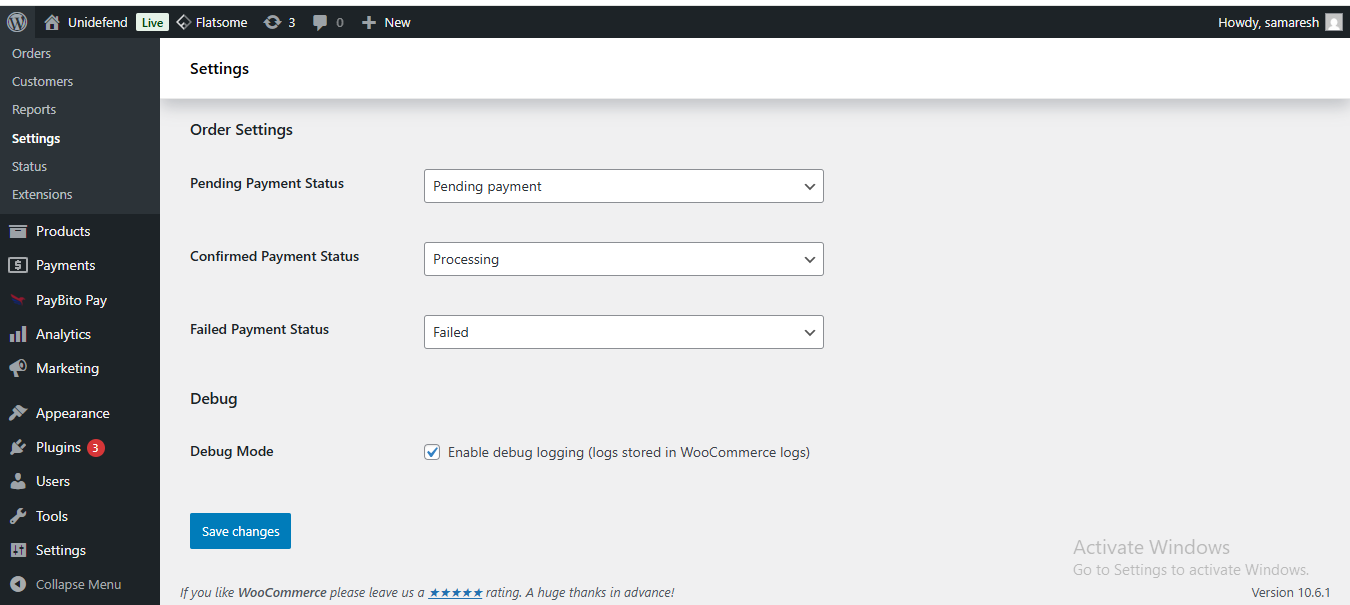
Webhook
Webhooks are essential for receiving real-time notifications about payment events, such as successful transactions, refunds, or chargebacks. By setting up webhooks, you can ensure that your WooCommerce store stays synchronized with PayBito's payment processing system, allowing you to automate order updates and provide a seamless experience for your customers.
Checkout
With PayBito Pay, you can easily accept cards, bank transfers, digital assets, and other supported payment methods. Don’t miss the opportunity to expand your business by offering more ways to pay today.
To pay with PayBito Pay:
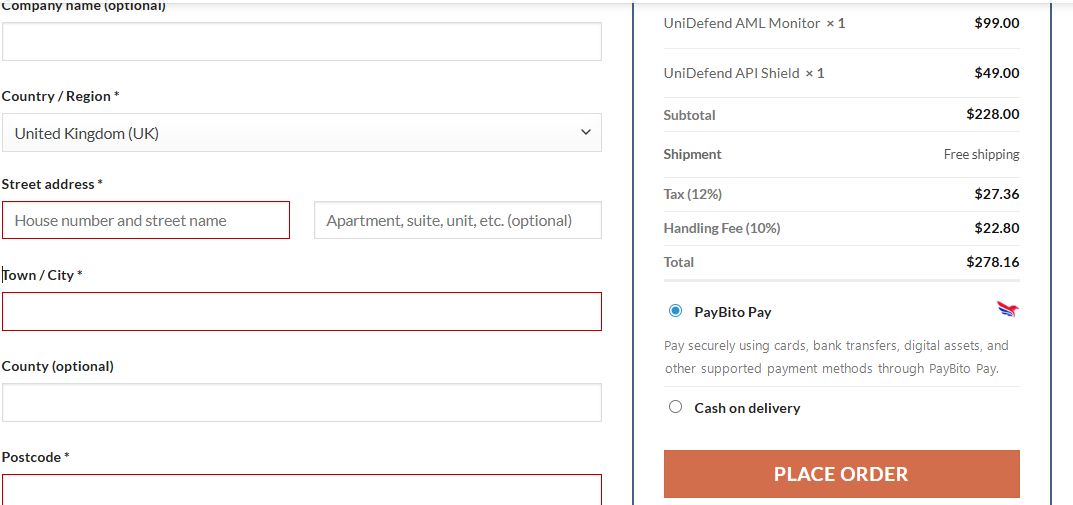
1. Go to checkout and select PayBito Pay from the list of payment gateways
2. You will be redirected to https://portal.paybito.com/payments to complete your payment